Prompt library
12 safe Nano Banana photo editing prompts
Use these prompt cards as starting points. Replace bracketed details, keep the rights boundary, and test small batches before spending more credits on variations.
Edit pattern 1
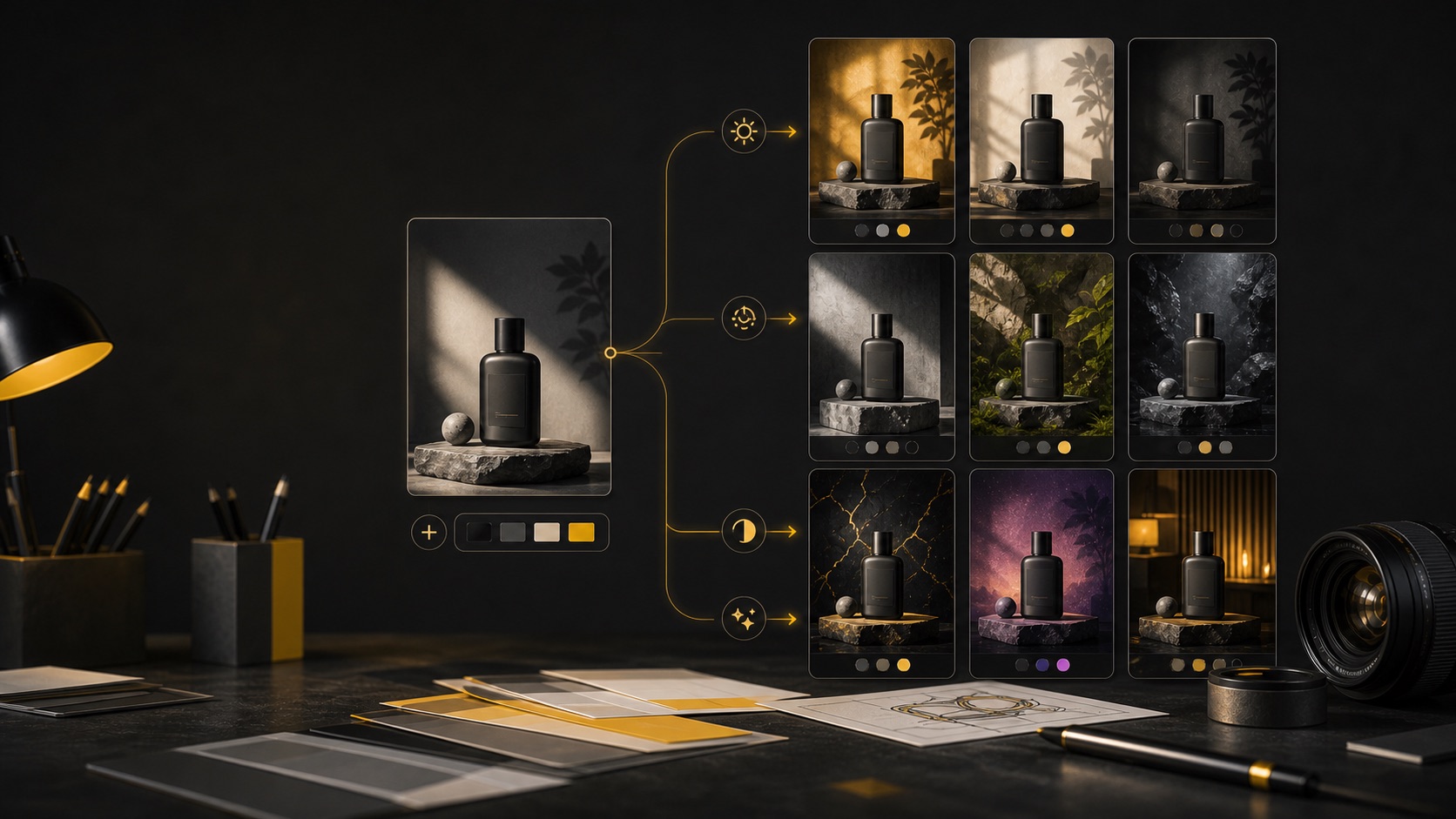
Product background swap
For owned product photos that need a cleaner commercial scene without changing the product.
Use my authorized product reference photo. Keep the product shape, label position, color, material, cap, scale, and camera angle unchanged. Replace the background with [new setting], use [lighting style], add subtle natural shadow, and leave copy space on [side]. Do not add third-party logos, fake ratings, marketplace badges, altered product features, or unsupported claims.
It protects product accuracy before asking for the background change, which is the safest way to edit listing or ad drafts.
Adapt with
- - setting: clean studio sweep, warm kitchen counter, marble table, soft outdoor patio
- - lighting: softbox, morning window light, diffused daylight, subtle rim light
- - copy space: left, right, top band, lower third
Edit pattern 2
Lighting correction
For photos that are usable but need softer shadows, better contrast, or a more polished mood.
Use the reference photo. Keep the subject, composition, identity or product details, and camera angle unchanged. Improve the lighting by [specific correction], balance color temperature, recover natural contrast, and keep textures realistic. Do not change identity, product facts, location facts, text, logos, or any evidence needed for accuracy.
It names the edit as a correction instead of a full reinvention, so the model has a narrower job.
Adapt with
- - correction: soften harsh flash, brighten shadow side, reduce yellow cast, add gentle window light
- - quality target: natural, editorial, ecommerce, warm lifestyle
- - protected details: label, face, outfit, material, room layout
Edit pattern 3
Portrait background cleanup
For authorized portraits, team photos, profile images, and creator headshots.
Use my authorized portrait reference. Keep identity, facial structure, expression, skin texture, clothing, pose, and framing natural. Replace the busy background with [background type], soften distractions, and improve light balance. Do not alter age, body shape, face structure, ethnicity, identity, professional credentials, or add NSFW or deceptive context.
It permits polish while blocking the risky parts of portrait editing: identity changes, body manipulation, and false context.
Adapt with
- - background: neutral studio wall, soft office blur, clean creator workspace, simple gradient
- - crop: profile avatar, LinkedIn-style headshot, square social crop, website bio
- - mood: approachable, editorial, warm, crisp
Edit pattern 4
Travel photo color grade
For personal or licensed travel photos where the place should stay truthful.
Use my authorized travel photo. Keep the location, landmark shape, perspective, people placement, and scene facts unchanged. Apply a [color grade] look, improve sky and foreground balance, and remove only small non-identifying distractions. Do not invent restricted access, fake weather events, brand signage, celebrity presence, or misleading location claims.
It improves mood without turning a real-place image into false evidence.
Adapt with
- - color grade: warm sunset, clean daylight, soft film, cool morning, muted editorial
- - format: 4:5 social post, website hero, story crop, album cover
- - details to keep: horizon, landmark, road, people scale, camera angle
Edit pattern 5
Room and interior cleanup
For decor ideas, room mood boards, and non-deceptive real estate or rental drafts.
Use the authorized room photo. Keep the room layout, windows, doors, fixtures, floor plan, and permanent features unchanged. Reduce visual clutter, improve lighting, and style the scene with [decor direction] while keeping scale realistic. Do not add rooms, hide defects, change dimensions, invent premium fixtures, or create misleading listing proof.
It distinguishes styling and cleanup from deceptive property alteration.
Adapt with
- - decor direction: warm minimal, bright Scandinavian, neutral staging, cozy reading corner
- - lighting: soft daylight, balanced interior lights, gentle evening warmth
- - format: rental preview, interior mood board, renovation concept, social post
Edit pattern 6
Food photo enhancement
For menus, recipe visuals, social posts, and creator food photography drafts.
Use my authorized food photo. Keep the dish type, ingredients, plating, portion size, and tableware accurate. Improve light, contrast, color balance, texture clarity, and background cleanliness. Do not invent ingredients, nutrition claims, health benefits, restaurant awards, brand endorsements, or unrealistic serving size.
It keeps the appetizing edit tied to the actual dish and avoids misleading claims.
Adapt with
- - light: window light, soft overhead, warm restaurant glow, clean studio food light
- - background: neutral linen, wooden table, minimal kitchen, dark editorial surface
- - channel: recipe card, menu draft, Instagram square, blog hero
Edit pattern 7
Social ad crop and copy space
For turning an existing product, poster, or lifestyle photo into ad-ready composition drafts.
Use the authorized reference image. Keep the main subject, product details, and important identity cues unchanged. Reframe it for [ad format], create clean copy space on [area], improve visual hierarchy, and keep the background uncluttered. Do not add fake platform UI, fake discounts, unauthorized logos, or unsupported performance claims.
It treats photo editing as layout preparation and keeps promotional claims outside the generated image.
Adapt with
- - format: 1:1 feed, 4:5 paid social, 9:16 story, 16:9 banner
- - copy area: top, lower third, left column, right margin
- - subject: product, creator, event object, interior detail, food shot
Edit pattern 8
Editorial color match
For a set of owned images that need consistent mood across a campaign.
Use the reference photo and match it to a [mood board direction]. Keep the subject, identity, product facts, and composition unchanged. Adjust color palette, contrast, grain, and background tone so it feels consistent with [campaign or channel]. Do not copy a named living artist, protected brand campaign, film identity, or trademarked visual system.
It asks for a color system, not protected style copying.
Adapt with
- - mood board: warm editorial, clean SaaS, natural wellness, bold launch, soft lifestyle
- - controls: palette, contrast, grain, saturation, background tone
- - campaign: product launch, creator profile, email header, social carousel
Edit pattern 9
Reference-to-poster edit
For turning an authorized photo into a poster background or campaign draft.
Use the authorized reference photo as the visual base. Keep the main subject, perspective, and important factual details. Transform the image into a poster-ready background with [mood], [palette], strong focal area, and clear headline space. Do not imply official organizer approval, sponsor backing, public-figure endorsement, or use protected marks.
It connects photo editing to the poster workflow while keeping the final claim review separate.
Adapt with
- - mood: cinematic, editorial, playful, calm civic, premium launch
- - headline space: top third, center band, lower block, side column
- - related path: AI Poster Generator, prompt library, image-to-image
Edit pattern 10
Thumbnail-safe enhancement
For improving creator thumbnails without misleading viewers.
Use my authorized thumbnail reference. Keep the subject identity, product facts, and core scene truthful. Increase readability at small size with [crop], clearer contrast, brighter subject separation, and a simple background. Do not add fake results, fake platform UI, real-person impersonation, NSFW cues, or misleading before/after proof.
It improves click clarity while avoiding deceptive thumbnail tactics.
Adapt with
- - crop: tight subject crop, 16:9 frame, centered object, side text zone
- - contrast: brighter face, stronger product outline, cleaner background, softer shadows
- - channel: YouTube, blog hero, course thumbnail, social preview
Edit pattern 11
Seasonal product edit
For adding a campaign mood around a product without changing the product itself.
Use my authorized product or lifestyle reference. Keep the product details, label area, color, scale, and camera angle unchanged. Add a [seasonal mood] environment with subtle props, matching light, and clean copy space. Do not add third-party brand marks, fake holiday partnership, counterfeit cues, adult/NSFW context, or unsupported product claims.
It lets creators explore seasonal variants while preserving product truth and brand boundaries.
Adapt with
- - seasonal mood: spring desk, summer travel, autumn kitchen, winter gift table
- - props: neutral ribbon, leaves, soft fabric, abstract color shapes
- - format: store banner, email hero, paid social, landing page image
Edit pattern 12
Screenshot or mockup polish
For app, website, or interface mockup photos where clarity matters.
Use the authorized screenshot or device mockup reference. Keep the interface structure, product name, visible copy, and device orientation accurate. Clean reflections, improve contrast, straighten perspective, and place it in [background]. Do not invent customer data, analytics results, partner badges, security claims, or official platform endorsement.
It keeps product proof and UI details honest while improving presentation quality.
Adapt with
- - background: neutral desk, soft gradient, product launch stage, app store style scene
- - edit: straighten, reduce glare, brighten screen, add natural shadow
- - boundary: no fake metrics, no fake logos, no invented user data