拍摄模式
10 个可改写的 Nano Banana 产品拍摄提示词
把这些模式当作单个产品系列的 shot list。替换括号内容,保留权利边界,上线前逐张复核。
Shot 1
居中 marketplace packshot
适合店铺网格或产品详情页的干净主图。
Create a centered marketplace packshot for [owned or authorized product]. Preserve the product silhouette, label area, color, material, included parts, and real scale. Use a clean [white / warm gray] studio background, soft shadow under the product, front-facing three-quarter angle, and square crop. Avoid extra accessories, fake marketplace badges, copied brand styling, unsupported claims, and changes to product features.
它给模型一个很窄的拍摄任务,并防止产品为了好看而被重新设计。
可调整项
- - 背景颜色
- - 正面或三分之四角度
- - 阴影柔和度
- - 方图或 4:5 裁切
Shot 2
正面标签清晰图
适合包装标签位置和产品可读性很重要的商品。
Use my authorized product reference to create a front label clarity shot for [product type]. Keep the label area, cap, bottle or box shape, material, color, and visible edges unchanged. Use even studio lighting, low distortion, clean white background, and enough margin around the product. Do not invent label text, ratings, certification seals, platform UI, or medical and performance claims.
它把清晰呈现与虚假证明分开,降低标签幻觉风险。
可调整项
- - 盒装、瓶装、袋装、罐装或软管
- - 画面边距
- - 竖图或方图裁切
- - 标签文字边界
Shot 3
三分之四 hero 产品图
适合 landing page 或 campaign hero,需要产品有体积感和文案留白。
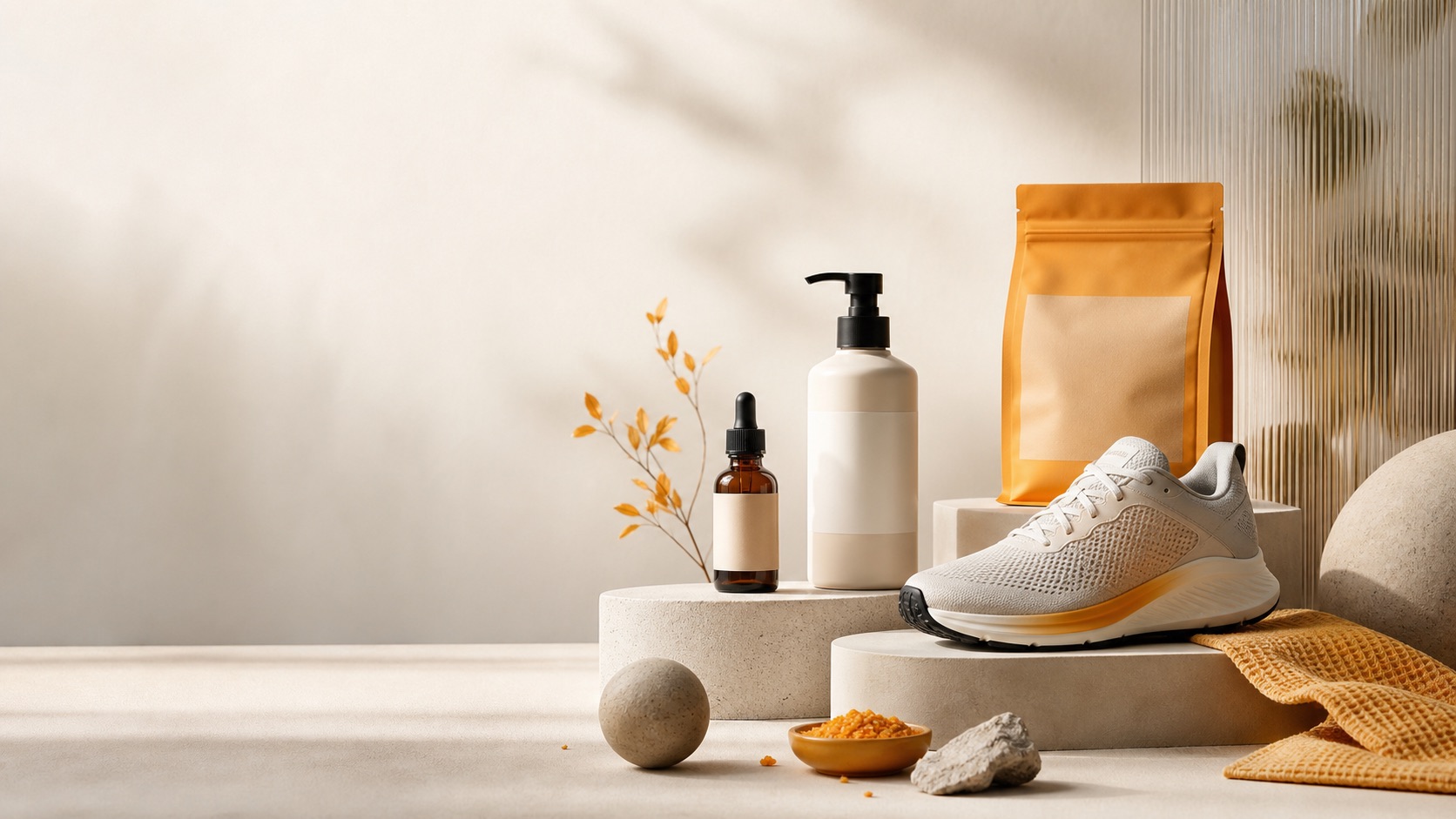
Create a three-quarter hero product shot for [product name] using the authorized reference. Preserve product proportions, material, color, label position, and included parts. Place the product on [surface] with [lighting], subtle depth, and copy space on [left / right / top]. Keep the visual direction original. Avoid protected brand trade dress, fake awards, celebrity endorsement, review stars, and feature changes.
Hero 图需要设计空间,但 prompt 仍把 SKU 和商业声明固定住。
可调整项
- - 留白方向
- - 台面材质
- - 光线方向
- - campaign 配色
Shot 4
材质细节 macro
适合展示纹理、表面、缝线、压印、颗粒、瓶盖细节或边缘质量。
Create a macro product detail shot for [owned or fictional product]. Focus on [material or detail]. Preserve the real product finish, color, construction, edge shape, and scale. Use soft side light, shallow depth, and a simple background. Do not add protected logos, luxury trade-dress cues, certification marks, altered materials, or performance claims not provided by the product owner.
Macro 图只锁一个细节最好,并且要避免模型把产品升级成不真实材质。
可调整项
- - 材质细节
- - macro 裁切
- - 光线方向
- - 必须保留的细节
Shot 5
俯拍 flat lay
适合套装、配件、文具、服饰、食品安全道具或产品集合。
Create a top-down flat lay product shot for [product or kit]. Arrange [exact item list] on a clean [surface]. Preserve item count, proportions, colors, labels, and included accessories from the authorized references. Use balanced spacing and soft overhead light. Avoid adding extra products, fake discount tags, marketplace badges, protected logos, or misleading bundle claims.
Flat lay 很容易多生成物件,所以必须固定 item list 和比例。
可调整项
- - 准确 item list
- - 台面
- - 间距
- - 裁切比例
Shot 6
尺寸参照图
适合需要体积感但不能制造虚假测量的产品。
Create a scale cue product shot for [product type]. Show the product next to [generic, non-branded scale reference] while preserving real product proportions, shape, color, and included parts. Use neutral studio lighting and simple background. Avoid fake measurement labels, official testing badges, exaggerated size, celebrity hands, third-party logos, or claims not verified separately.
它帮助用户理解尺寸,但不把图片变成未验证的测量证明。
可调整项
- - 通用尺寸参照物
- - 是否手持
- - 背景
- - 测量边界
Shot 7
变体排列图
适合已批准的颜色、尺寸、气味、口味或包装变体。
Create a product variant lineup for [product family]. Show only these approved variants: [variant list]. Keep the same product shape, label placement, material, and scale across every variant. Use consistent studio light, even spacing, and [single row / grid] layout. Do not invent variants, alter ingredients, copy protected palettes, add fake popularity badges, or imply unavailable inventory.
变体图需要一致性和真实性,而不是戏剧化风格。
Shot 8
Before/after 背景替换
适合优化自有产品图,同时保持产品本身不变。
Use my authorized product photo as the source. Keep the exact product shape, label area, color, material, accessories, and crop relationship. Replace the background with [new studio or lifestyle background], improve lighting naturally, and keep shadows realistic. Do not change product features, add third-party marks, create fake badges, or imply a result that is not in the reference.
它明确允许改变背景和光线,但不允许改变产品。
可调整项
- - 背景类型
- - 光线风格
- - 要保留的细节
- - 允许改变的范围
Shot 9
移动端社媒裁切
适合 4:5 或 9:16 广告,产品必须在小屏幕上可读。
Create a [4:5 / 9:16] mobile product shot for [product name]. Use the authorized product reference, keep product facts accurate, place the product with clear focal hierarchy, high contrast, and safe space for short copy. Use [background style] and [lighting]. Avoid platform UI, fake review stars, competitor logos, celebrity endorsement, deceptive scarcity, trademark imitation, and product redesign.
它把 prompt 连接到真实投放位置,并阻止常见社媒广告信任捷径。
可调整项
- - 4:5 或 9:16
- - 文案安全区
- - 背景风格
- - 小屏可读性
Shot 10
功能标注底图
适合之后由设计师手动添加 feature callouts 的干净底图。
Create a clean product shot base for [product type] that leaves room for manual feature callouts later. Preserve product shape, ports, buttons, texture, label area, and included parts from the authorized reference. Use a neutral background, readable angle, and no baked-in text. Avoid inventing feature labels, certification badges, technical specifications, platform UI, or claims not verified by the product owner.
它创建可设计的底图,同时避免 AI 生成不可靠文字或规格。
可调整项
- - 标注方向
- - 功能区域
- - 无文字要求
- - 技术声明边界